10 Free Conference Calling Services Worth Trying

Conference calling software lets you run audio, video, or hybrid meetings with groups of any size. The good ones have clear audio and are easy to set up. With so many options, picking the right one can be a pain. Here are 10 free services that cover different needs, from screen sharing and recording to simple interfaces that just work.
Dialpad’s free version handles meetings up to 45 minutes with 10 people. You can join by audio or video, and it gives you a dial-in number to share. Audio quality is solid, and you get unlimited recordings. The free plan skips AI features, but the paid Business plan adds transcription, captions, and post-meeting summaries with action items. Handy for keeping track of what happened and catching up if you missed it.
Skype is still a solid choice for free teleconferencing, especially for small businesses. You can host audio or HD video calls with up to 50 people. It also has instant messaging, file sharing up to 300 MB, and screen sharing. Call recording and live subtitles are included, which makes communication smoother.
RingCentral lets you run audio-only, video-only, or blended calls. People can join from desktop, mobile, or even a landline. The free plan supports unlimited calls with up to 100 video participants and 1,000 audio participants. You get whiteboards and AI-driven transcription for accurate records. There’s also team chat built in, so it works as a free alternative to Slack or Zoom.
Microsoft Teams is a full collaboration tool with free audio and video meetings for up to 300 people. You get screen sharing, real-time editing in Office apps, and 10 GB of team file storage. You can customize video backgrounds and invite guests. For recording and more storage, you’d need a paid plan like Microsoft 365 Business Basic or Business Standard.
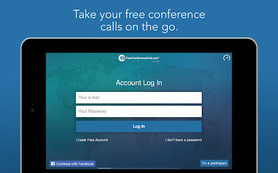
Free Conference Call offers a ton of features for free. It supports up to 1,000 participants with HD audio and video, international calling, and meeting recording. You get breakout rooms, keyboard commands, and VoIP support on mobile and desktop. Screen sharing, built-in chat, and integrations with Slack and Dropbox are included. Most features are free, though a few premium options cost extra.
FreeConference.com is a good pick if you need international conference calling. It offers free audio and video meetings for up to 100 participants, including international callers. You get HD audio, screen sharing, and video conferencing, with support for up to 5 online meeting participants. A mobile app lets you connect on the go. The Pro plan adds more web participants, premium international dial-in numbers, audio recording, and auto transcription.

FreeConferencePro gives you free conference calling and online meetings with 24/7 secure access and clear audio. You get HD 1080p video and other user-friendly features. You can host on-demand calls for up to 2,000 participants anytime, or schedule meetings with automatic invitations and reminders. Video conferencing and screen sharing are included. Security uses 128-bit encryption to keep your meetings safe.

Free Conference USA skips mobile surcharges by using standard dial-in numbers, so you don’t get hit with extra fees from your provider. They don’t push paid upgrades. It supports up to 1,000 callers, and conferences can last up to 24 hours or longer if you ask. You get full call controls through a web dashboard or host keypad commands, plus customizable brand-free welcome greetings and the option to record personalized messages. Free email conference reports and recordings are included, and you can choose your own access codes.
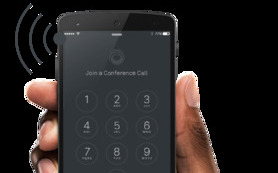
Free Conference Calling is a powerful platform for free audio and video meetings with up to 1,000 participants. It has real-time management tools so hosts can monitor callers and run Q&A sessions easily. You get detailed call reports through an online dashboard and can record calls as MP3 files. It works with traditional phone lines and popular VOIP services. Premium options are available if you need extra features.
Webex by Cisco supports free audio and video meetings for up to 100 participants. It includes breakout rooms, interactive whiteboarding, and screen sharing. You can schedule meetings through Google and Microsoft calendars, and it offers end-to-end encryption. Premium plans add features like 6-way conference calling and meeting transcription.